
BTS Locator: See Which Cell Tower Your Modem Is On
Published · August 8, 2026
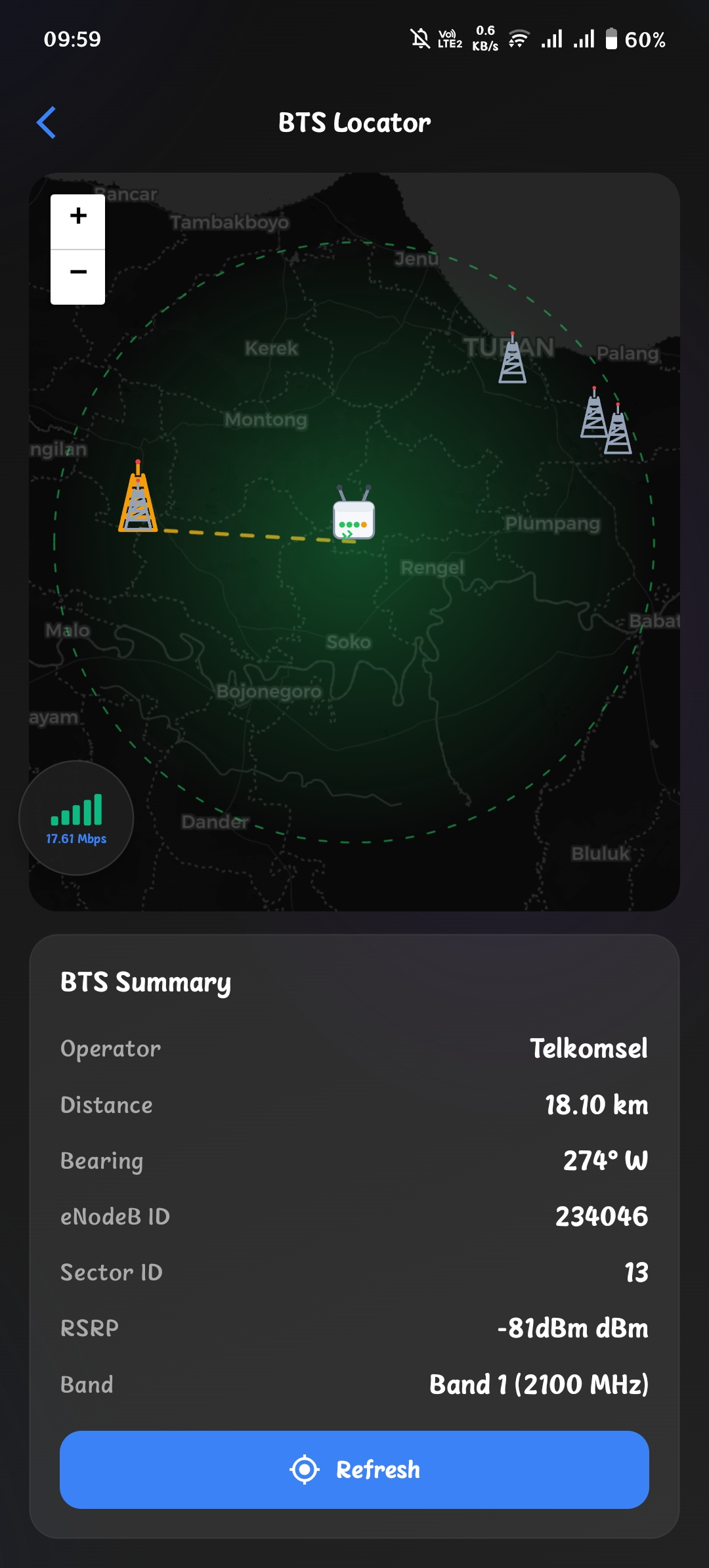
A weak signal is hard to explain when you do not know which cell tower is serving your modem and how far away it is. The BTS Locator feature, currently in development, is designed to answer this question right inside the app.
What It Does
BTS Locator shows the cell tower your modem is connected to, plus the towers around it, on a real map. You no longer have to guess which direction the weak signal is coming from.
- Current tower: the BTS the modem is connected to right now.
- Nearby towers: other cells within range, so you can see what else is around.
- Signal context: the same signal metrics (RSRP, RSRQ, SINR, band) placed on the map.
How It Works
The feature combines two sources of data:
- From the modem: the modem reports the cell it is currently connected to, including band, signal strength, and cell identifiers.
- From your phone’s GPS: your position is used to place those cells on the map.
Combining both sources gives you a live picture of the radio environment around you.
Why It Matters
Knowing which tower you are connected to explains a lot:
- A distant tower usually means a weak, unstable connection. A better tower is often closer.
- When you move around looking for the best spot, the map tells you whether you are heading toward or away from the tower.
- Combined with Band Lock, you can find the strongest band and the best position at the same time.
Development Status
The feature is real but not ready. It is in active development and internal testing, on real modems and real networks, before it ships.
One honest constraint: BTS location data is limited. Most operators do not publish tower coordinates, and the public databases are incomplete and often outdated. Coverage will grow over time, and accuracy will vary by region. Some areas will show precise tower positions; others will be sparse at first.
That is exactly why this needs real-world testing, and later, input from users like you.
What’s Next
There is no release date to promise. Once internal testing is done, the feature ships in a future update. Watch the releases page for news.
Until then, the signal metrics and Band Lock features are ready to use today.